01. Beginner, 2 hours

Introduction to AI and prompting
How to think about AI, and how to ask it for what you want. Your team writes prompts on its own jobs and finds the tasks worth handing over.
AI training
Three hands-on courses, built on your team's own work. They start by chatting with AI, then hand it whole jobs, then build their own tools.
Chat, delegate, build. Each course starts where the last one ends.
01. Beginner, 2 hours
How to think about AI, and how to ask it for what you want. Your team writes prompts on its own jobs and finds the tasks worth handing over.
02. Intermediate, 2 hours

Your team stops going back and forth with a chatbot. They give an AI agent a whole job and check what it sends back. Then they set it to run every week.
03. Advanced, 2 hours
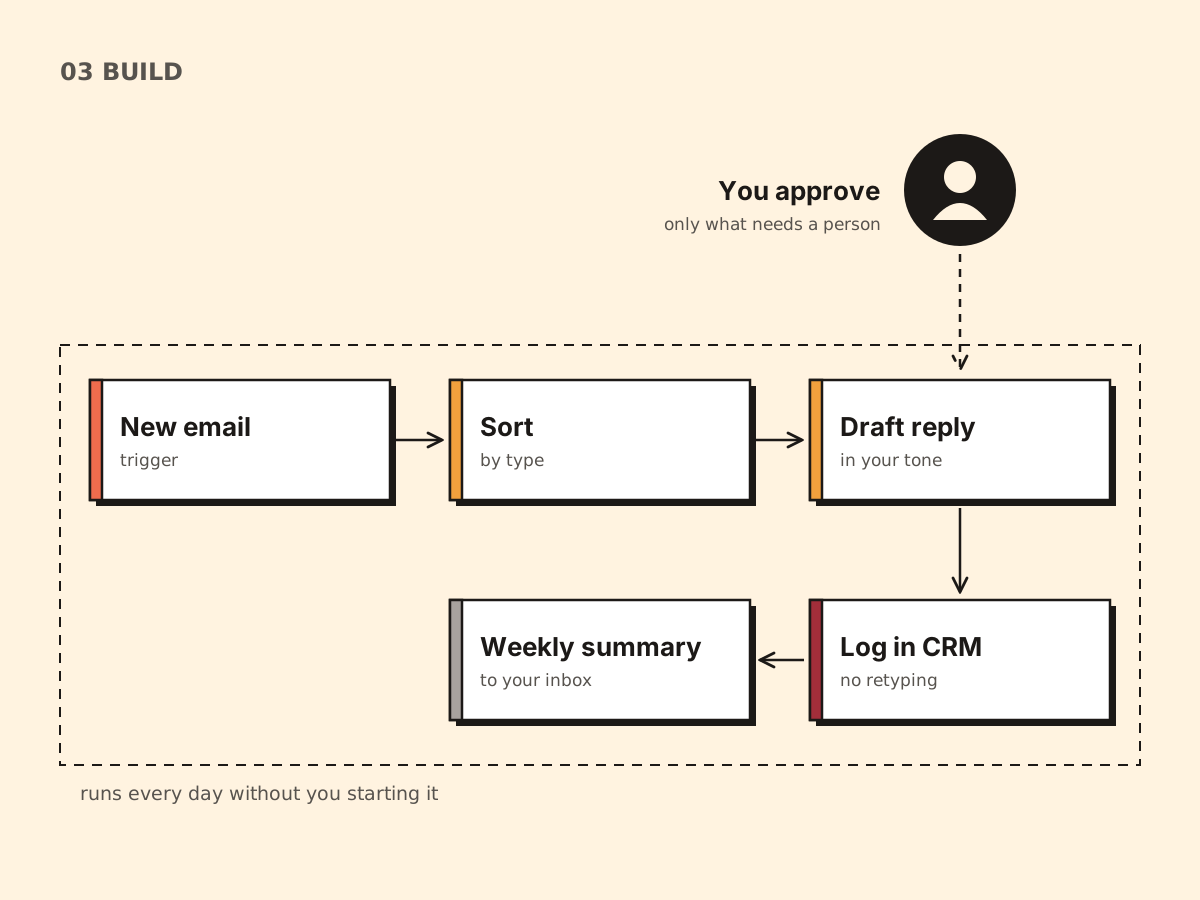
Your team builds a working tool by describing it in plain English. No code. They leave knowing how to test and improve what they build.
Half day, 3 hours
Prompting before the break, handing whole jobs to AI after it. Both courses in one visit.
Built for every level. Beginners leave confident, and people who use AI every day leave with new methods.
Your team fills in a short survey before I arrive. I shape the session to their jobs and their level.
ChatGPT, Claude, Copilot, Gemini. I teach the methods that work in all four. Your team uses the one it already pays for.
Great AI session to get a better understanding and basics of AI and what to look for. Also RISEN concept was very helpful to know and apply
Alexander K, Business Development Manager, Stretch and Tents

I turn complex systems into skills your team uses the same day.
For seven years I pitched my own business, Morse Toad, to retail partners and corporate clients. I have also run sessions for children with the School of Comedy.
Both jobs come down to the same thing: keep it clear and give people something to do. The AI tools I teach are the ones I build with every day.
I price it on the session, the size of the team, and how much I build around your own work. You get a number on the call, and in writing before you book.
Thirty minutes to talk about your team and which course fits.
Twelve questions, three minutes. You get a score, the rung your team is on, and the one change worth making this week.